Describe the website you want
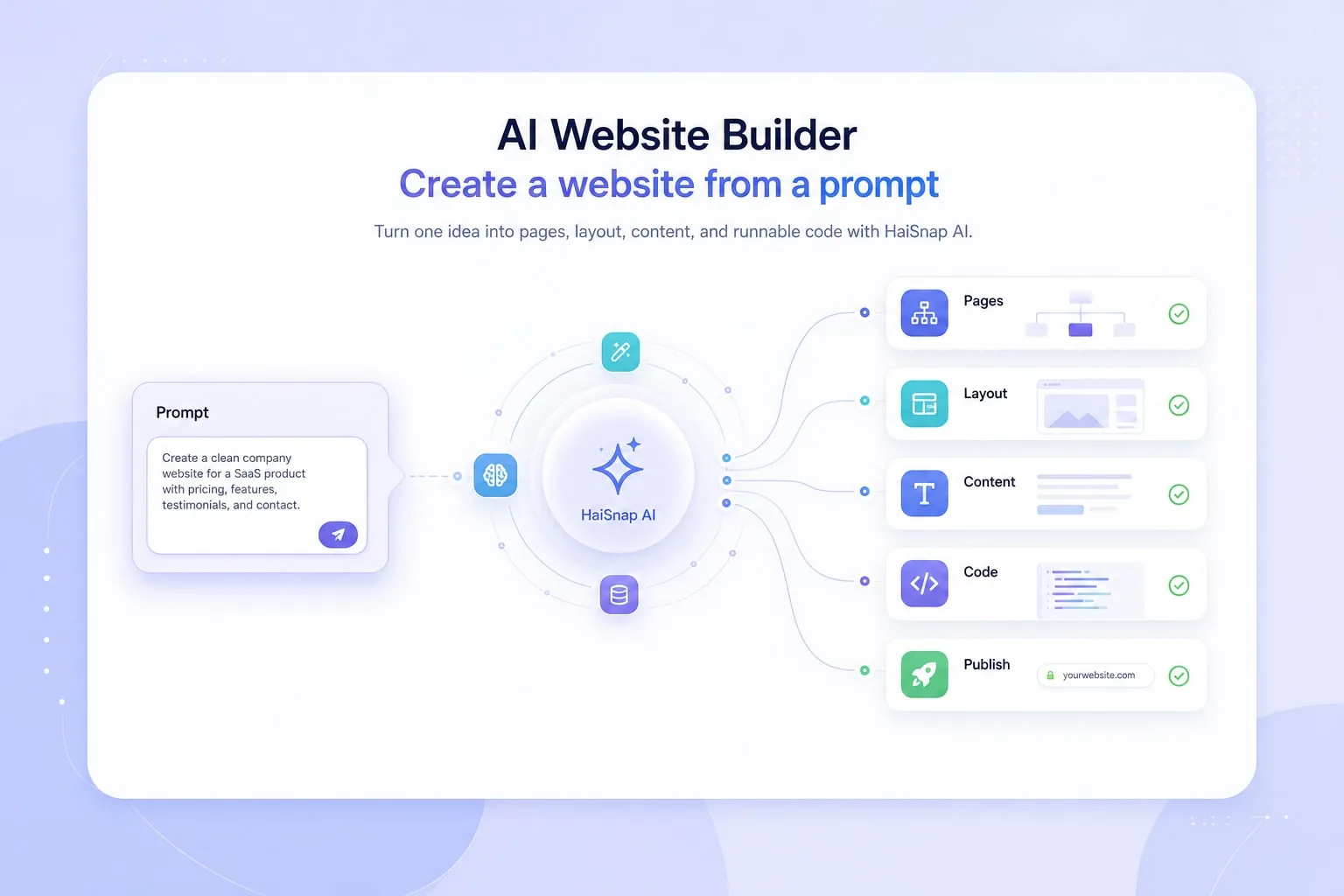
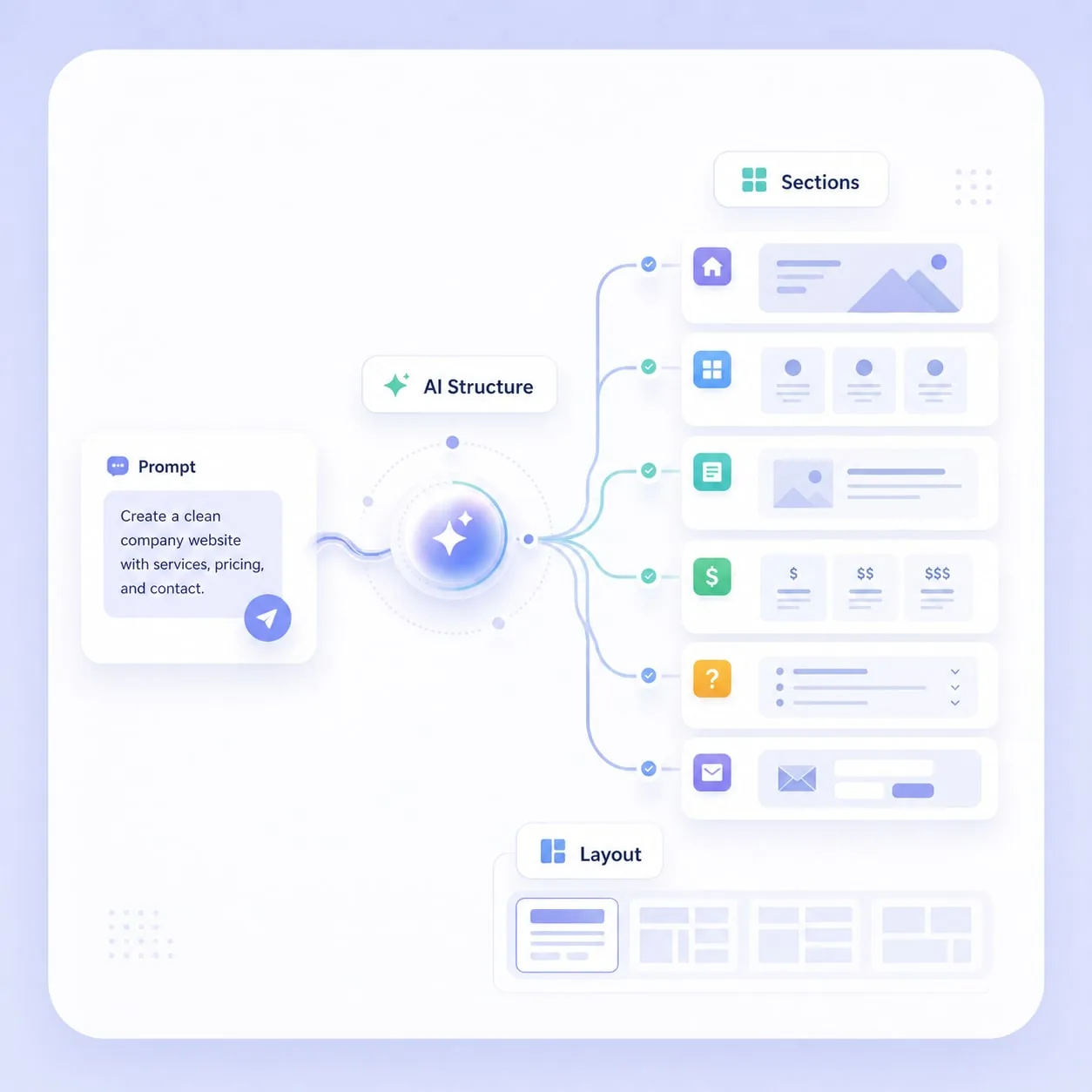
Start with a clear prompt, such as: create a technology company website with a homepage, product section, pricing block, and contact form. HaiSnap uses your prompt to understand the page structure and content direction.

Turn one idea into pages, layout, content, and runnable code with HaiSnap AI.
HaiSnap AI Website Builder helps you turn a simple prompt into a complete website. Describe the site you want, and AI can generate the page structure, design direction, starter content, and runnable code. Keep editing with natural language, preview the result online, then publish or export the code when it is ready.


With HaiSnap AI Website Builder, you can describe the website you want in one sentence. For example, ask for a clean company website, and HaiSnap will generate the homepage, sections, layout, and starter content without manual page setup or coding.
Try AI website generation
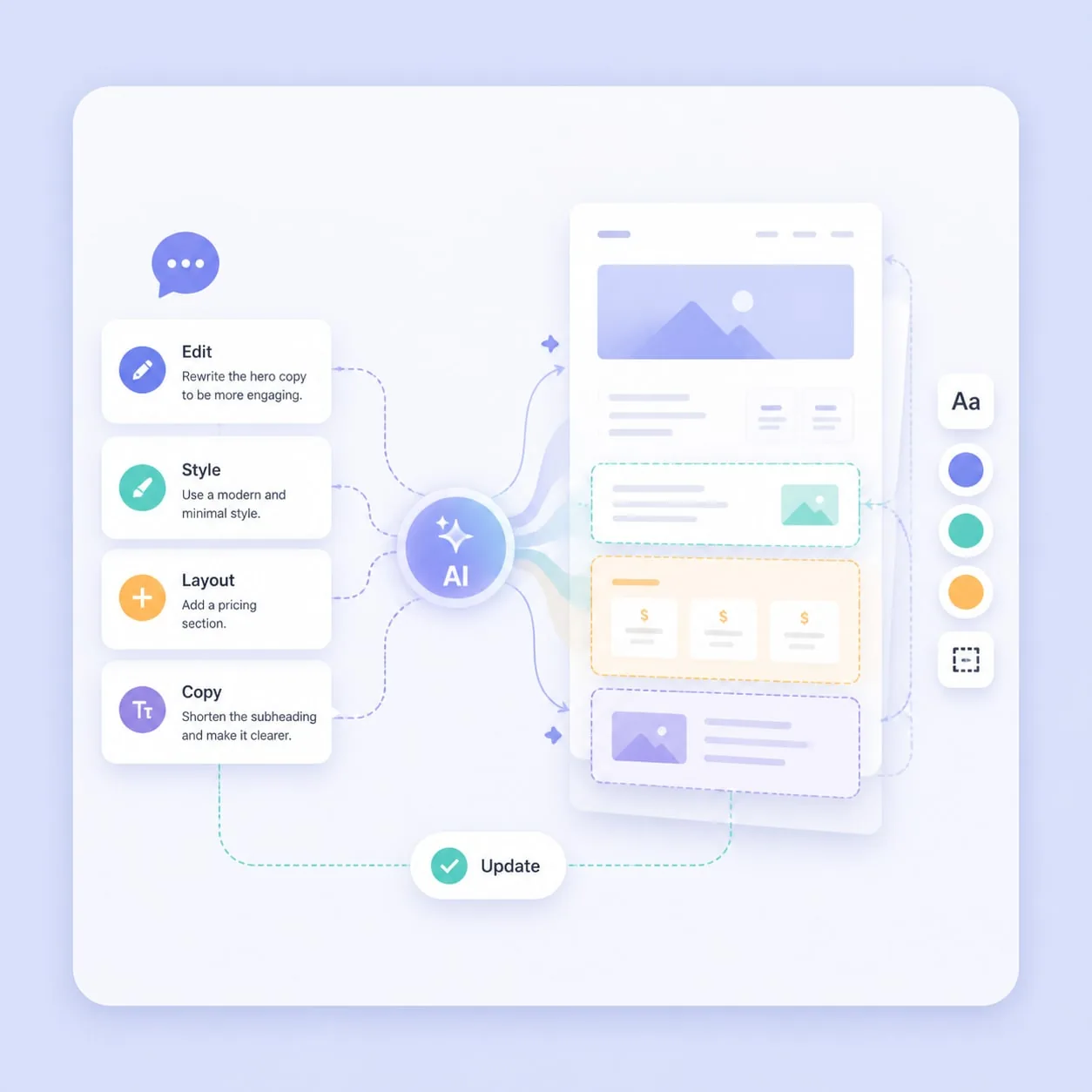
After the first website is generated, keep refining it with chat. Ask HaiSnap to change the visual style, add a pricing section, rewrite the hero copy, or adjust the layout. The AI website generator updates the page based on your instructions.
Edit with AI
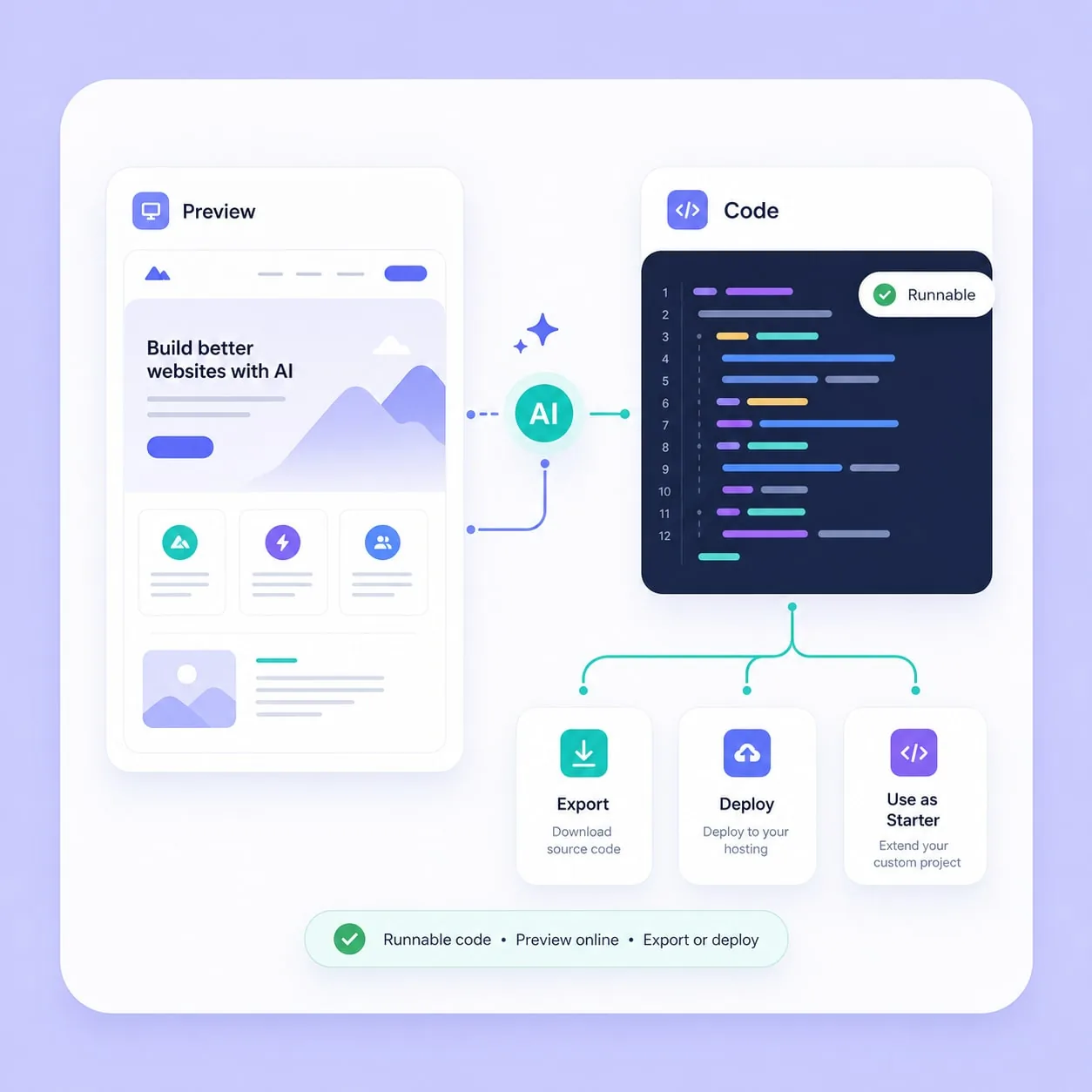
Every AI generated website includes runnable code. You can preview the result online, download the source code, deploy it yourself, or use it as a starting point for a more custom website project.
Preview the result
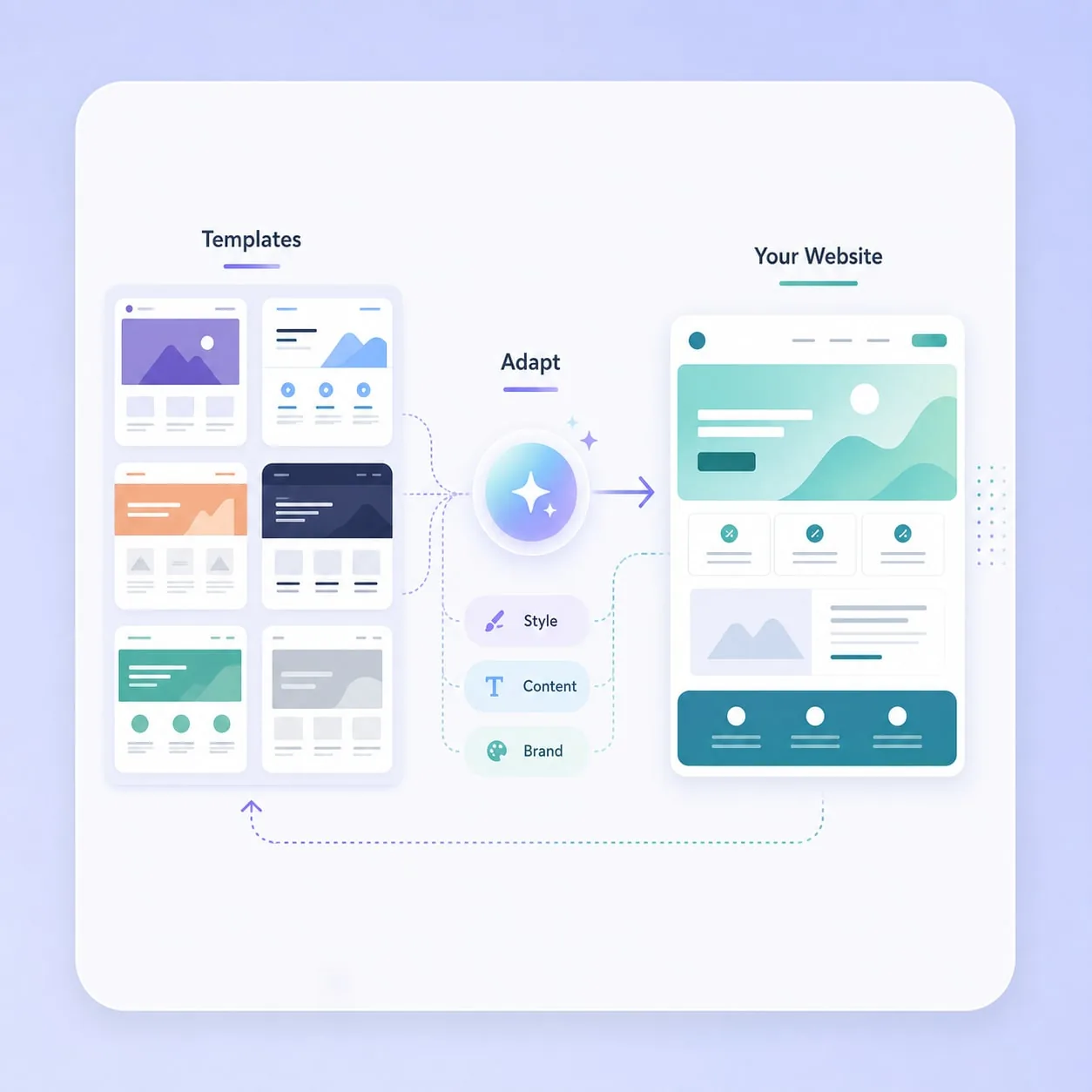
HaiSnap also provides examples you can reuse. Pick a website style close to your goal, then ask the AI website maker to adapt the structure, content, and visual direction for your own brand or project.
Reuse an example
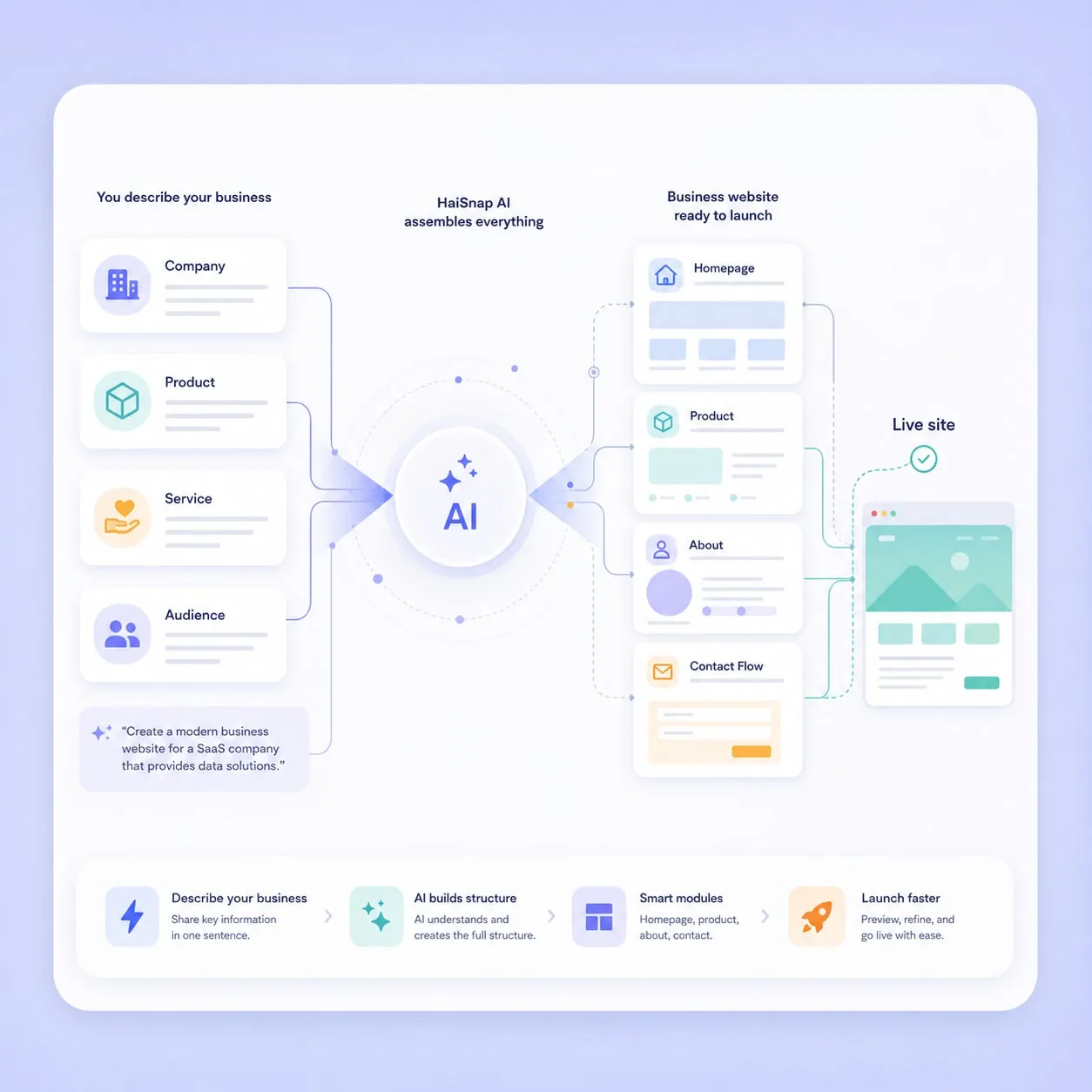
Describe your company, product, or service, and HaiSnap can create a business website with modules for your homepage, product introduction, about section, and contact flow. It is a fast way for small teams to launch a professional web presence.
Create a business website
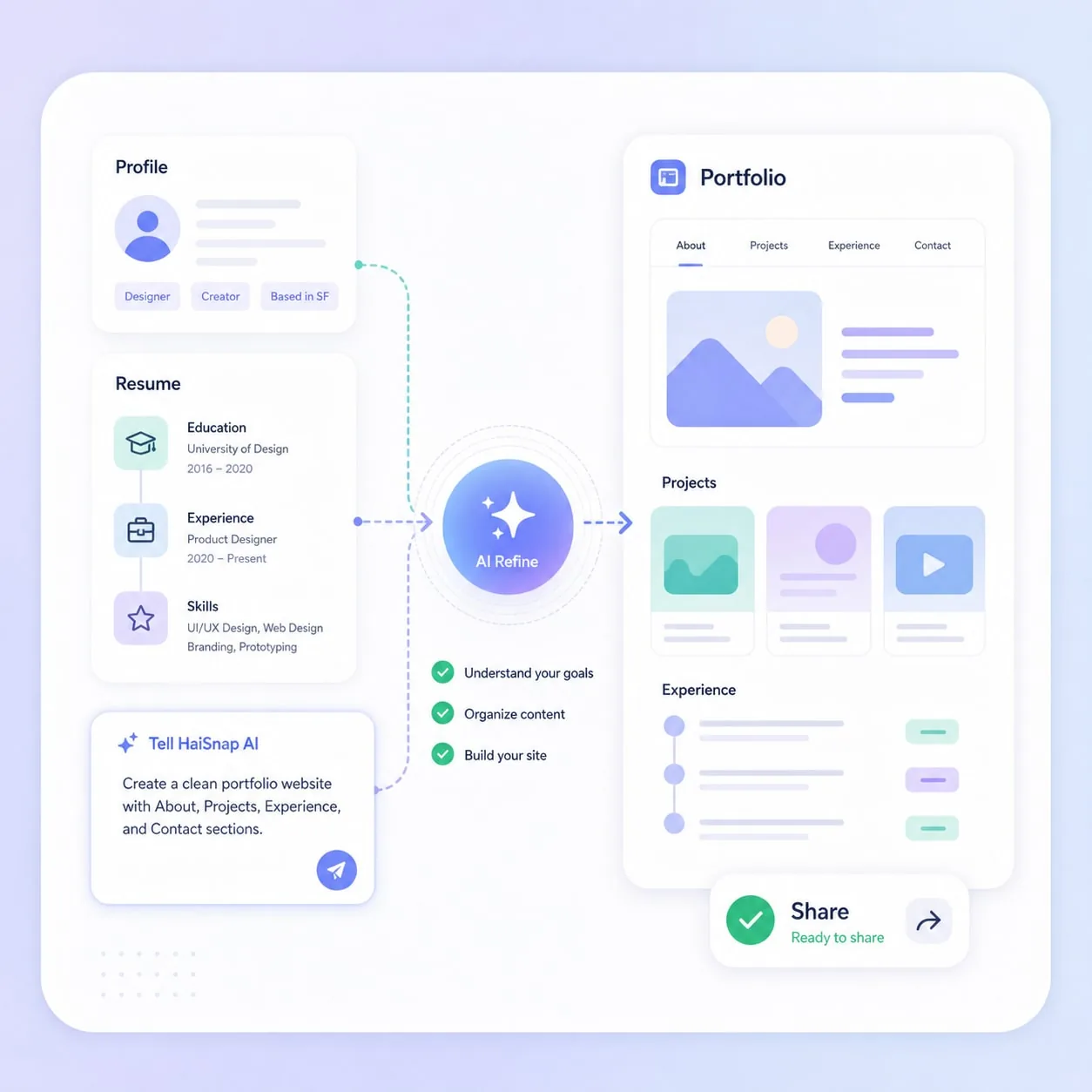
Use HaiSnap as an AI website creator for personal pages, resumes, portfolio websites, and creator profiles. Describe your background and the sections you need, then refine the page until it feels ready to share.
Generate a portfolio website
For product launches and marketing campaigns, HaiSnap can generate a focused landing page with benefit sections, FAQs, calls to action, and editable copy. Build website with AI, then keep optimizing the page before publishing.
Create a landing pagePhotographers, designers, writers, and independent creators can use HaiSnap to create portfolio websites, personal pages, and service pages without learning front-end development or complex website software.

Developers can generate a website prototype, inspect the code, and use it as a starting point. It is useful for quick validation, internal demos, and projects that need a working front-end foundation fast.

Startups and local businesses can use an AI website maker to launch a clear company website, introduce products or services, collect inquiries, and reduce the time and cost of traditional website production.

Students and job seekers can create resume websites, project galleries, and personal introduction pages. The AI website creator gives them a polished starting point that can be refined and shared quickly.

Start with a clear prompt, such as: create a technology company website with a homepage, product section, pricing block, and contact form. HaiSnap uses your prompt to understand the page structure and content direction.
The AI website builder creates the layout, sections, starter content, and runnable code. You can quickly see a full website draft without dragging blocks or writing code by hand.
Ask HaiSnap to change the color palette, add customer stories, make the hero more direct, or replace imagery. The website keeps improving through conversation.
When the page looks right, preview it online and publish it. You can also download the generated source code for custom deployment, long-term maintenance, or further development.
I only needed a quick product page to test an idea. HaiSnap generated the structure in minutes, and I refined the site with a few natural language edits.
Instead of waiting for a long agency cycle, I can create a first landing page myself and keep improving it. It makes campaign pages much easier to ship.
Our team did not have a dedicated front-end developer. Using an AI Website Builder gave us a working website foundation much faster than starting from scratch.
The generated code is clear enough to hand off. For teams validating a product idea, it is a practical way to move from prompt to prototype.
I wanted a portfolio website without touching code. After generation, I only needed to adjust copy, colors, and images before sharing it with clients.
An AI Website Builder is a tool that turns a plain-language prompt into a working website. HaiSnap can generate page structure, layout, copy, and runnable code, then let you keep editing the result through natural language.
Yes. You describe the website you want, such as a business site, portfolio, or landing page, and HaiSnap generates the first version for you. You can refine the design, content, and sections without writing code.
Yes. HaiSnap works as an AI website generator, AI website maker, and AI website creator. It creates an editable website from your prompt and gives you a live preview plus source code access.
Most first drafts take only a few minutes. After the first version is generated, you can keep asking HaiSnap to adjust the visual style, add sections, update copy, or change the structure.
Yes. You can preview the website online, publish it when you are ready, or download the generated code for your own deployment and future development.
It is useful for founders, small businesses, creators, designers, students, and teams that need to build website prototypes, landing pages, company sites, or portfolio websites quickly.
Yes. Developers can use the generated website code as a starting point, then continue editing it inside HaiSnap or export it for custom development, deployment, and maintenance.
Yes. HaiSnap runs in the browser, so you can use it as an AI website builder online. Start from a prompt, preview the generated website, and continue refining it without installing a local development environment.