
URL to PPT ConverterTurn Web Pages Into Editable Slides
From One URL to a Presentation Your Audience Can Follow
Turn a webpage, article, product page, online report, or documentation link into a focused PowerPoint draft. HaiSnap helps you move from scrollable web content to a clearer story, then refine and export an editable deck.
Convert URL to PPT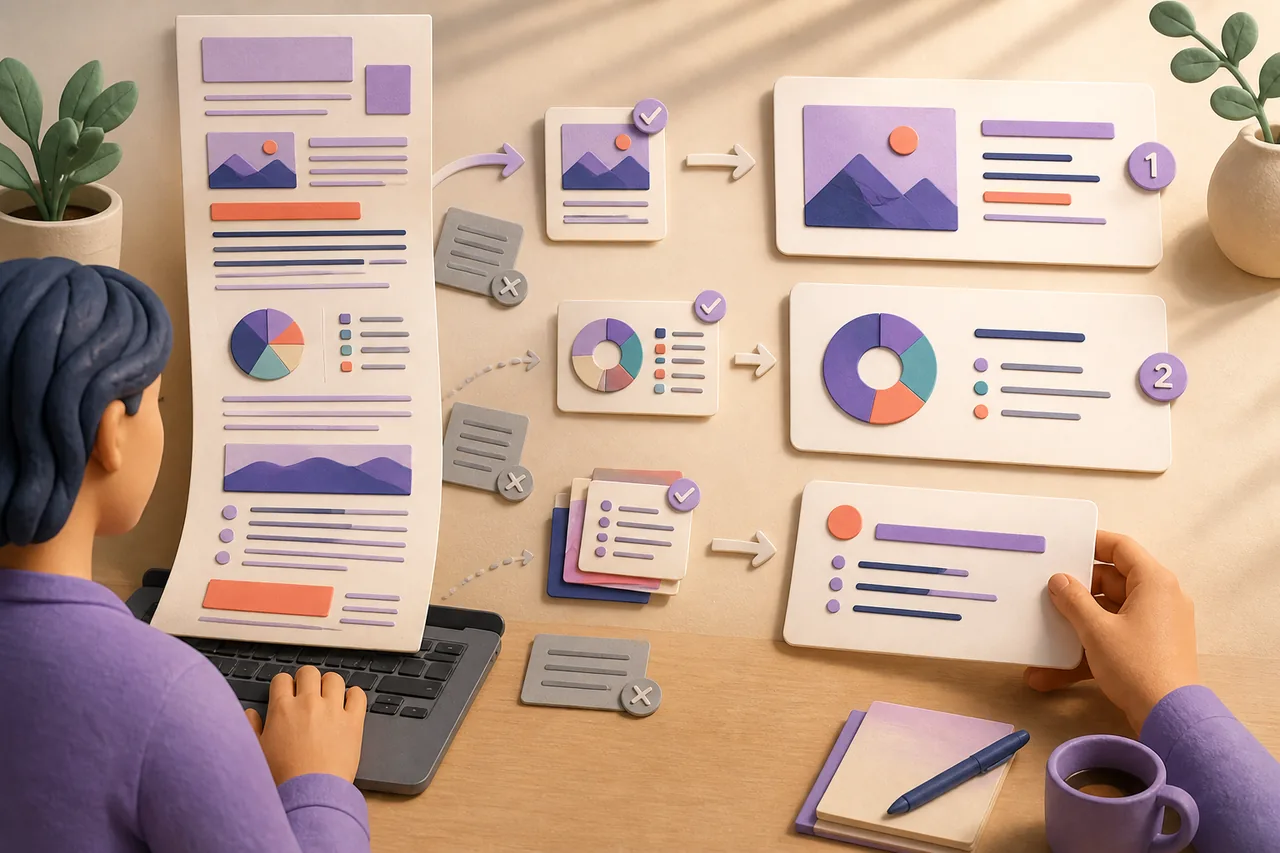
When a URL Works Better Than Starting From a Blank Deck
Product and Campaign Pages
Turn a launch page or campaign URL into a client, sales, partner, or internal presentation without rebuilding the product story slide by slide.
Articles, Reports, and Research
Convert a content-rich URL to PowerPoint when the key argument, evidence, and implications need to be discussed in a room.
Documentation and Learning Resources
Adapt online guides, help centers, and training pages into a deck with a clearer teaching flow, examples, and takeaways.
Portfolio and Project Updates
Use an existing case study or project page as source material for a review, proposal, stakeholder update, or retrospective.
A Website to PPT Workflow Built for Presenting, Not Just Capturing

Use the Live Page as Your Starting Point
A URL to PPT workflow starts with the page your audience can already visit: a product launch, article, research report, event page, or internal resource. Paste the link and tell HaiSnap what the presentation needs to accomplish, so the deck is shaped around the meeting rather than around a browser window.

Extract the Parts Worth Presenting
A useful webpage to presentation converter does not treat every navigation label, footer link, and scrolling block as a slide. HaiSnap helps focus the draft on the page's central message, supporting sections, important details, and the questions an audience is likely to ask.

Turn a Scrollable Page Into a Clear Slide Sequence
Webpages are built for exploration; presentations need a path. HaiSnap reorganizes web content into presentation-sized ideas, giving the story an opening, supporting evidence, and a useful conclusion. You can then refine the wording, pacing, and visual direction before exporting an editable PowerPoint.
How to Convert a URL to PPT With HaiSnap
Paste a Public URL
Add the webpage URL you want to turn into a presentation. Choose a page with meaningful content, such as a product page, article, report, documentation page, or case study.
Describe the Audience and Outcome
Tell HaiSnap who will see the deck and what they should understand, decide, or do. You can request a slide count, tone, visual direction, and the sections that deserve the most attention.
Review the Webpage-to-PPT Draft
Check the generated slide flow, ask to shorten a section, change the emphasis, or reorder the story. The URL provides the starting material; your instructions keep the presentation aligned with its purpose.
Export an Editable PowerPoint
Download the presentation as an editable PPTX file, then make final changes to content, layouts, colors, images, and branding in PowerPoint.
URL to PPT Converter FAQs
How do I convert a URL to PPT?
Paste a public webpage URL into HaiSnap and describe the presentation you need. Include the audience, purpose, slide count, or sections to emphasize. HaiSnap uses the page as source material, creates a structured draft, and lets you refine the result before exporting an editable PPTX file.
Can I turn a website into a PowerPoint presentation?
Yes. You can use a content-rich website page, article, product page, report, documentation page, or case study as the starting point. HaiSnap reshapes the useful content into a slide narrative rather than copying the webpage as a long screenshot.
What is the difference between URL to PPT and HTML to PPT?
URL to PPT is for starting with a live public webpage link. HTML to PPT is better when you have the HTML code or an HTML file itself. Both can help create a presentation, but the input and workflow are different.
Will the slides match the webpage exactly?
No. Webpages are designed for scrolling and interaction, while slides need focused, screen-sized messages. HaiSnap uses the URL as source material and adapts the important content into a presentation format that is easier to explain and discuss.
Can I choose what the URL to PPT converter emphasizes?
Yes. Tell HaiSnap what matters most: product benefits, research findings, evidence, implementation steps, recommendations, or a call to action. You can also ask for a specific audience, tone, slide count, or visual direction.
Can I edit the PowerPoint after converting a URL?
Yes. Export the result as an editable PPTX file, then continue adjusting text, slide order, layouts, images, colors, and branding in PowerPoint.
The Page Already Has the Material. Give It a Better Way to Be Presented.
Paste a URL, explain the audience and outcome, and let HaiSnap turn the important web content into a presentation draft you can review, refine, and export as an editable PowerPoint.