




AI for Excel: Analyze Files and Generate Spreadsheets
Analyze Excel Files and Generate Spreadsheets with AI
Use our AI Excel assistant to analyze your files, uncover insights, and generate ready-to-use spreadsheets from a simple prompt.
Try AI Excel Free
What You Can Do with HaiSnap AI for Excel

Analyze Excel Files with AI
Upload your Excel files and let our AI Excel assistant identify trends, summarize key data, and uncover useful insights.
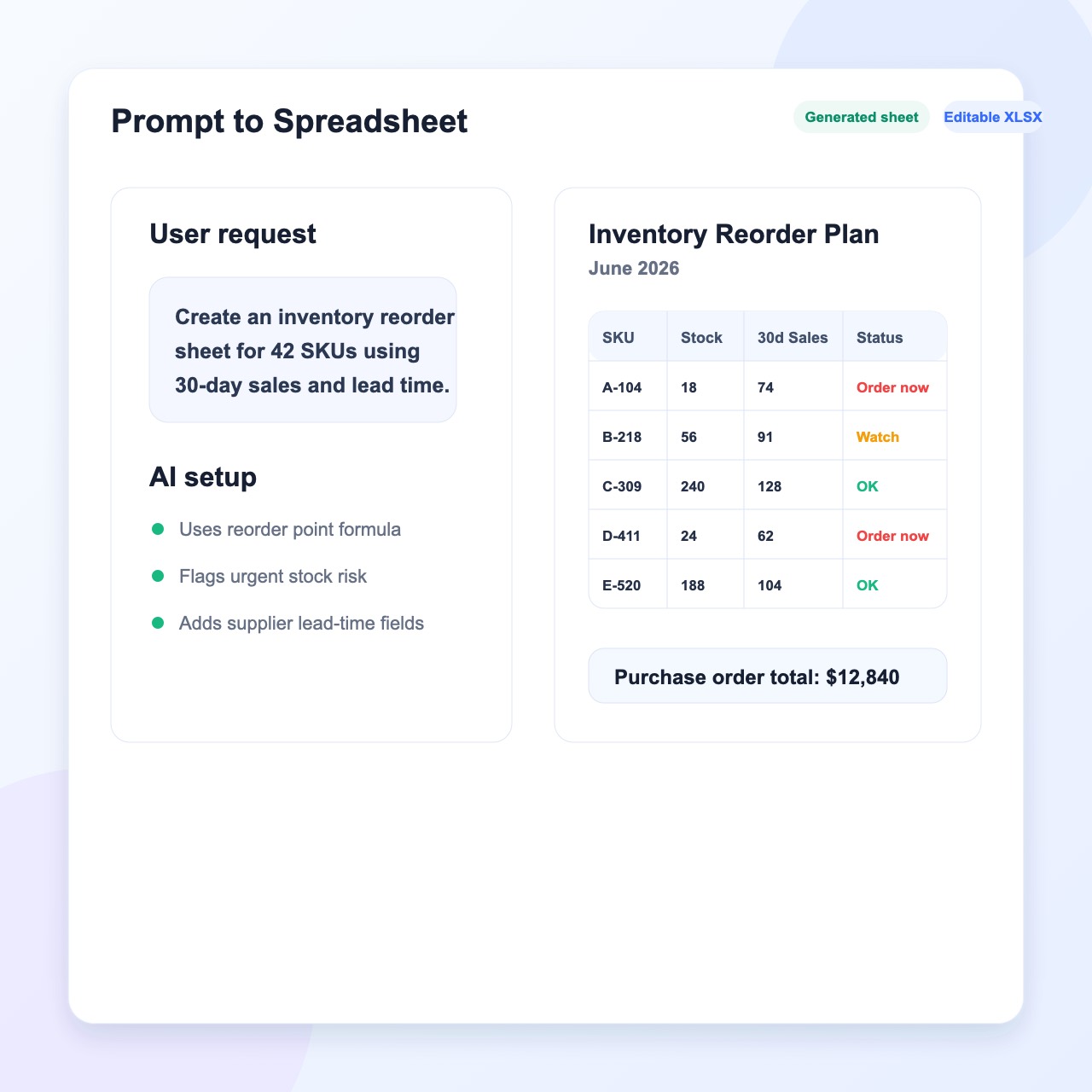
Generate Spreadsheets with AI
Describe what you need and use AI Excel to generate a ready-to-use spreadsheet from a simple prompt.
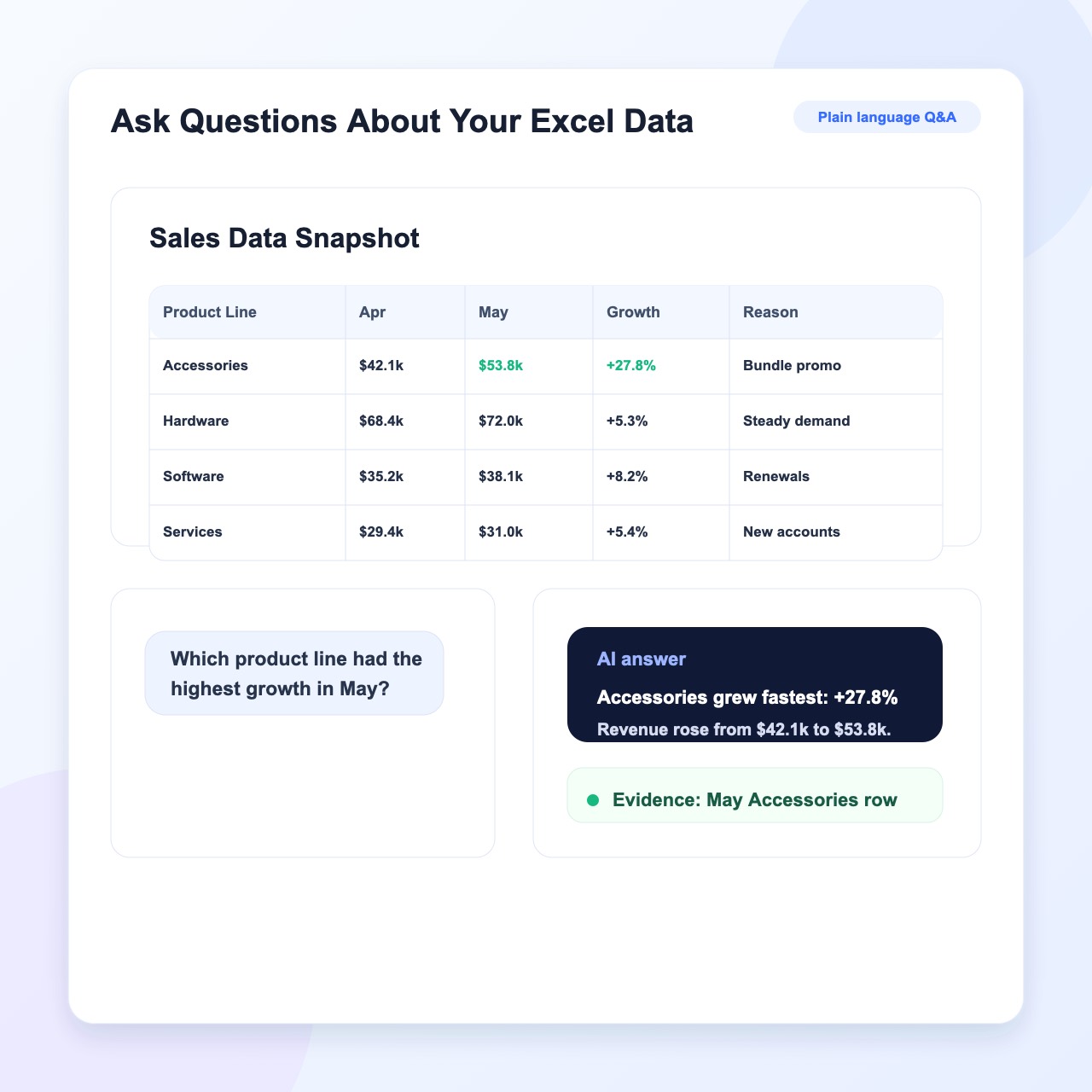
Ask Questions About Your Excel Data
Ask questions in plain language and get clear answers based on the data in your spreadsheet.
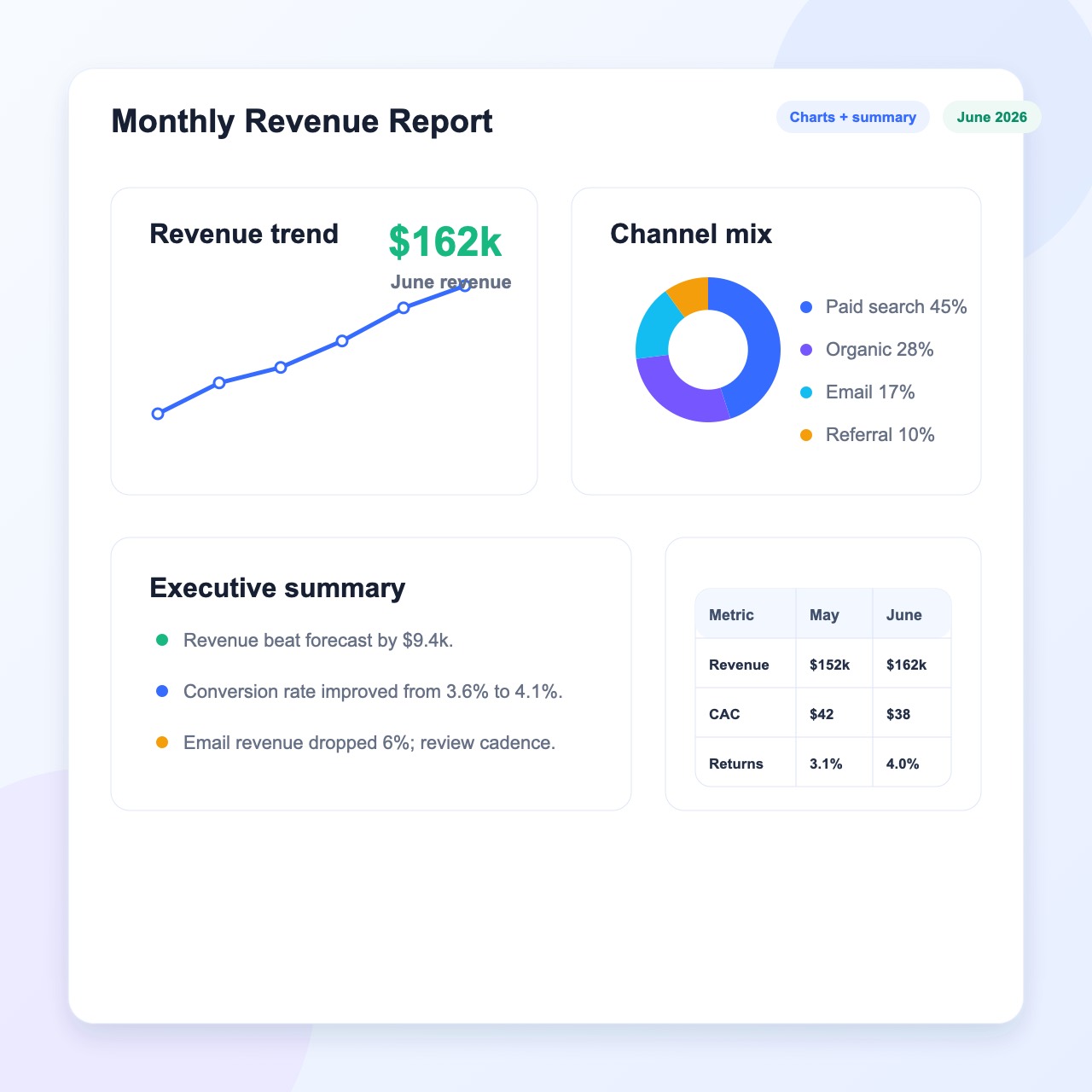
Create Charts and Reports
Turn spreadsheet data into clear charts and reports to make your results easier to understand.
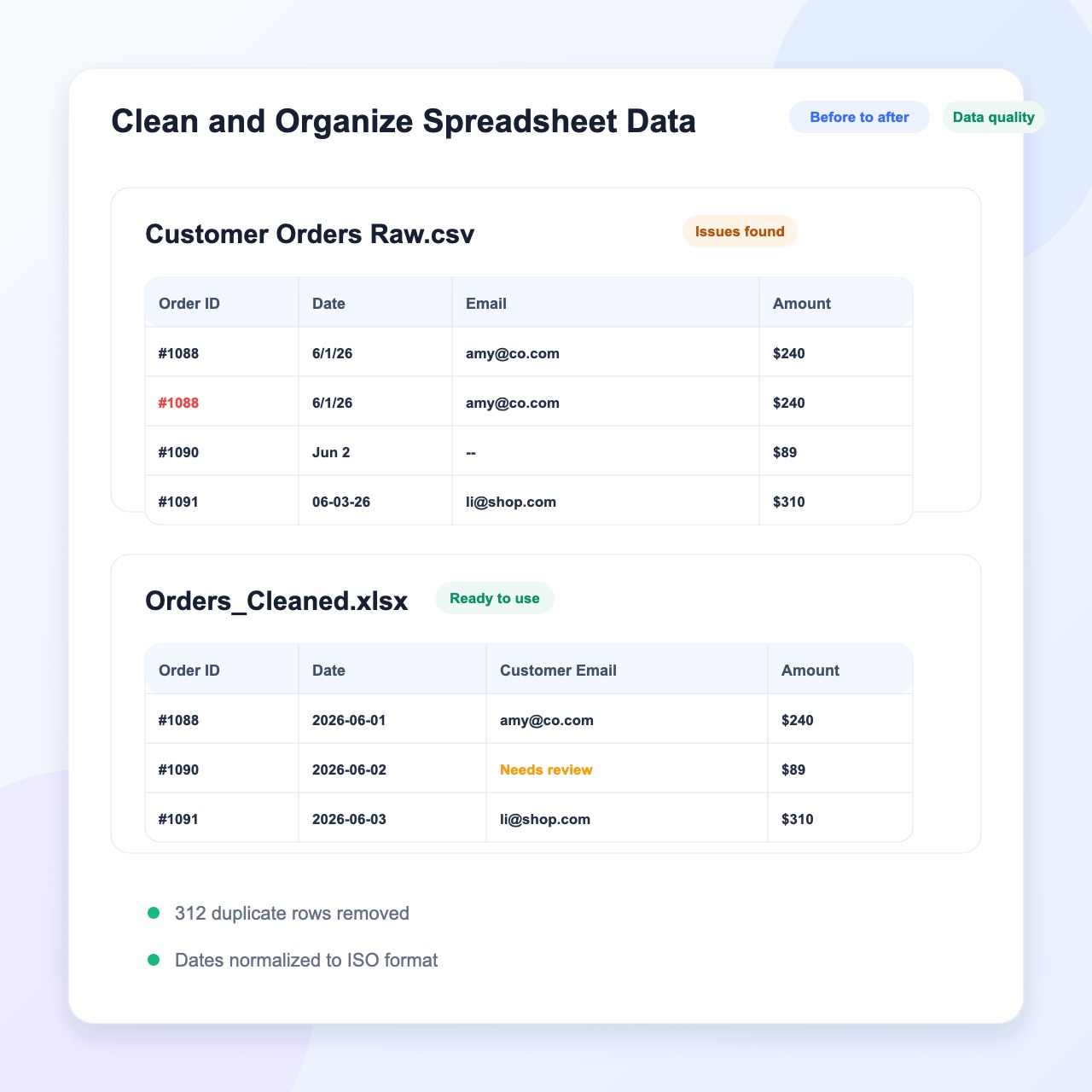
Edit and Organize Spreadsheets
Use AI for Excel to clean up data, organize rows and columns, and update your spreadsheet faster.
Why Choose HaiSnap AI for Excel

Analyze and Generate in One Place
Analyze existing Excel files or generate a new spreadsheet from a prompt with one AI Excel assistant.

Simple Prompts, Useful Results
Describe what you need in plain language. No complex formulas or spreadsheet expertise required.

Get Clear Data Insights Faster
Ask questions about your Excel data and quickly uncover trends, summaries, and key information.

Create Ready-to-Use Spreadsheets
Generate organized spreadsheets that you can continue editing and use for your work.
How to Use HaiSnap AI for Excel
Upload a File or Describe What You Need
Upload an Excel file for analysis, or enter a prompt to generate a new spreadsheet.
Ask HaiSnap AI for Help
Ask questions about your data, request insights, or explain the spreadsheet you want to create.
Review the Results
Check the analysis or preview your newly generated spreadsheet.
Download and Keep Editing
Download your spreadsheet and continue editing it for your work.
How HaiSnap AI for Excel Works
Upload or Describe
Upload an Excel file for analysis, or describe the spreadsheet you want to generate.
AI Processes Your Request
HaiSnap AI for Excel analyzes your data or creates a new spreadsheet based on your prompt.
Review and Download
Check the results, download your spreadsheet, and continue editing whenever you need.
What Users Say About HaiSnap AI for Excel
Analyzing Excel files is much easier now. The AI Excel assistant helps me find trends without checking every row manually.
I can describe the table I need and generate a spreadsheet with AI in seconds. It gives me a practical starting point for each project.
HaiSnap AI for Excel helps me ask questions about spreadsheet data in plain language without writing complex formulas.
I use the AI Excel assistant to summarize reports and organize spreadsheet data before meetings. It saves me a lot of preparation time.
Generating spreadsheets from a simple prompt helps me create templates for recurring reports and continue editing them for my work.
HaiSnap AI for Excel makes large files easier to understand. I can quickly identify important numbers and prepare a clear summary.
Frequently Asked Questions About AI for Excel
Is there an AI that can do Excel work for you?
Yes. An AI Excel assistant can analyze files, summarize data, identify trends, and generate new spreadsheets based on your instructions.
How do I use AI for Excel?
Upload an Excel file and ask questions about your data, or describe the spreadsheet you want to create. HaiSnap can analyze your file or generate a ready-to-use sheet.
Can AI analyze an Excel file?
Yes. An AI Excel data tool can help you understand large spreadsheets by highlighting key figures, patterns, and useful insights.
Can AI generate spreadsheets?
Yes. Describe the table you need in plain language, and the AI spreadsheet generator will create a structured sheet that you can download and edit.
Can I ask questions about my Excel data?
Yes. You can ask questions in everyday language and receive clear answers based on your spreadsheet data without checking each row manually.
Do I need to know Excel formulas?
No. AI for Excel makes it easier to work with spreadsheets without writing complex formulas. Simply explain what you want to analyze or create.
Can ChatGPT do Excel work?
ChatGPT can help explain formulas and answer general questions. HaiSnap AI for Excel is designed to analyze uploaded files and generate downloadable spreadsheets in one place.
Can I edit a spreadsheet after it is generated?
Yes. You can download the generated spreadsheet and continue editing it in Excel or another spreadsheet tool.
Turn Your Excel Data into Answers
Analyze an existing Excel file or generate a ready-to-use spreadsheet from a simple prompt with HaiSnap AI for Excel.